Blender to MAP exporter
Moderators: Nexuiz Moderators, Moderators
-
-

toneddu2000 - Alien trapper
- Posts: 251
- Joined: Mon Mar 09, 2009 7:56 pm
- Location: Italy
-
-
toneddu2000 Yes, I've got it on Friday. I'm very sorry haven't answered you yet (I checked mail at work just before going to weekend). I promise I'll mail you back tomorrow when I'll be at work!
bobcaticus The problems with .blend file are the following. Nowdays the exporter can't eat any .blend file. There are several limitations. And I've found two items why it can't be exported correctly as is.
1) If you use any material the exporter expects it to have a texture of image kind. Material with index 1 doesn't have any texture.
2) If you use any texture file it should be in Nexuiz data/textures folder or any subfolder. Otherwise NetRadiant can't find it. Materials with indexes 2, 3 and 4 have their textures in "Documents and Settings" subfolder, It's wrong.
Anyway the exporter shouldn't fail even if blend file isn't prepared. So it's a bug. I'll try to fix it in next (probably 0.17) version. Thank you for using the exporter!Don't use the force, Luke! Try to think!-

z80 - Advanced member
- Posts: 92
- Joined: Sun Jul 26, 2009 7:35 pm
- Location: Russia
-
-
Version 0.17 of the exporter: http://www.box.net/shared/a2xzq8asj1.
Changes list:
* Files list, lisence file and manual by toneddu2000 added.
* Export precission is set to 4 digits.Don't use the force, Luke! Try to think!-
z80 - Advanced member
- Posts: 92
- Joined: Sun Jul 26, 2009 7:35 pm
- Location: Russia
-
-
Thanks z80! In addition I inform the community that the open SVN address of exporter (exporter, guide, additional blend files) package is located here: svn://213.79.111.46:1000/blend2nex. A huge thanks to z80 for this!my site: www.antoniolatronico.it-
toneddu2000 - Alien trapper
- Posts: 251
- Joined: Mon Mar 09, 2009 7:56 pm
- Location: Italy
-
-
Version 0.18 of the exporter: http://www.box.net/shared/t91aeqaqdj
Changed texture reference frame definition according to q3map2 source. (Great thanks to divVerent!!!!!)Don't use the force, Luke! Try to think!-
z80 - Advanced member
- Posts: 92
- Joined: Sun Jul 26, 2009 7:35 pm
- Location: Russia
-
-
Wow z80 thanks! At least I have some free time, I'll test it! What does it mean "according to q3map2 source" for texture frame definition?my site: www.antoniolatronico.it-
toneddu2000 - Alien trapper
- Posts: 251
- Joined: Mon Mar 09, 2009 7:56 pm
- Location: Italy
-
-
toneddu2000 It means that divVerent has told me where to look for the texture reference frame definition in NetRadiant source code. To be precise in it's part that is built into q3map2 tool.
I couldn't find it myself because of I didn't know where to look in it (NetRadiant source). And I would spend quite a lot of time looking for that. Initially I have written the exporter using my own guess on how it works. It usually worked but not always. My mistake was I supposed that reference frame origin moves to brush plane and axes are initial axes projection on it made perpendicular. I was wrong as usual
Actually it appeared to be very simple: If initially we have Oxyz (O - point (0, 0, 0), and x, y, z axes of World unmodified reference frame (RF)), then target texture reference frame is x and y axes of initial RF with two rotations applied:
1) around z axis,
2) around new y axis.
These transformations are such as new RF z axis coincides with brush plane normal.
So my task to map a texture is reduced to:
1) Make transformation matrix that transforms texture u,v to x and y of brush face RF,
2) Make transformation matrix that transforms x, y, z to x and y of brush RF,
2) According to that matrix find X, Y, scaleX, scaleY and angle using u, v and x, y, z of each vertex of initial Blender mesh when converting it to NetRadiant brush.
Of course not any affine transformation might be split into such 5 sequential transforms. But if we assume that it does it could be gained form the matrix. I don't want explaining it here, because it is a bit complex. It's better to look at that in the exporter's source. To be brief, it's done by applying transformation to convenient unit vectors.
Also I've found out it works well when u and v are between 0 and 1 (inside texture square in Blender). I've not found out why yet .
.
I'm not sure I've explained it in understandable way, sorry for that!Don't use the force, Luke! Try to think!-
z80 - Advanced member
- Posts: 92
- Joined: Sun Jul 26, 2009 7:35 pm
- Location: Russia
-
-
Version 0.19 of the exporter: http://www.box.net/shared/4jyns68zei
Changes:
* Rederived all matrices and rewritten all concerning texture mapping (appropriate function became shorter and cleaner to a person looking at it first time).Don't use the force, Luke! Try to think!-
z80 - Advanced member
- Posts: 92
- Joined: Sun Jul 26, 2009 7:35 pm
- Location: Russia
-
-
Version 0.20: http://www.box.net/shared/mid1k1k4lu
Changes:
* Automatic ASE export parts of the scene for misc_model creation.
* info_player_deathmatch and others info_... export.Don't use the force, Luke! Try to think!-
z80 - Advanced member
- Posts: 92
- Joined: Sun Jul 26, 2009 7:35 pm
- Location: Russia
-
-
NO WAY!!You're telling us that I can now set info_player_start (for istance) directly from Blender? Awesome!
Thx a lot z80.Next week I'll try to start guide update with some tutorials!
P.S: I didn't understand first new feature, can you explain it in detail?my site: www.antoniolatronico.it-
toneddu2000 - Alien trapper
- Posts: 251
- Joined: Mon Mar 09, 2009 7:56 pm
- Location: Italy
-
-
Awesome! This is an amazing effort.
-

torus - Forum addon
- Posts: 1341
- Joined: Sun Dec 24, 2006 6:59 am
- Location: USA
-
-
z80: Sounds awesome. So how does it work? (exporting some meshes as ASE misc_models and exporting info_player_* ents)- motorsep
- Member
- Posts: 33
- Joined: Wed Jul 12, 2006 4:10 pm
- Location: San Antonio, TX
-
toneddu2000 First is about misc_model entity type. For example if I have some object in Blender and I want it to be exported as misc_model I add logic property "classname" = "misc_model". After that an ASE file will be created and bind to a result MAP file MAP during export.
Misc model could be a link to other misc_model. It might be useful when one has a lot of identical objects. In this case only one object is exported as an ASE and others should have property "ref_to" = "<name of mesh in Blender>". Of course, it is optional, but I'm sure it minimizes exporting time and HDD space consumption
motorsep info_* is exported in the following way. If you set logic property of any mesh to "classname" = "info_*" (info_* means an exactly that entity type what you need), it will be exported as an appropriate entity.
"origin", "angle" and "scale" properties are calculated automatically from object matrix.
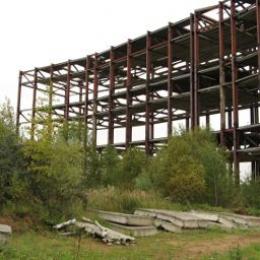
I've finished exporting "item_*" entities group from Blender also. It will be available here soon. Now I'm testing it by making some map using all exporter abilities. Unfortunately, I'm awful artist and even meet difficulties copying a construction from picture to Blender I have an amazing place near my house and I dreamed about making a map with it. ( It has Google Earth coordinates: 55 deg 58 min, 02 sec C; 37 deg, 10 min 16 sec B. People in my city use this place to play Paint Ball - it's like Nexuiz It's one of Communism ghosts - planned as particles accelerator and electronics center, nut now it's perfect ruin looking like after war )Don't use the force, Luke! Try to think!-
z80 - Advanced member
- Posts: 92
- Joined: Sun Jul 26, 2009 7:35 pm
- Location: Russia
-
-
z80: Blender 2.50 came out officially (alpha): http://www.blender.org/download/get-25-alpha/
I haven't tried your exporter with it, but it sounds like API is totally new. None of the scripts that work with 2.49b will work with 2.50.
It's time to port map exporter to 2.50
- motorsep
- Member
- Posts: 33
- Joined: Wed Jul 12, 2006 4:10 pm
- Location: San Antonio, TX
-
motorsep Thank you for the information! I've waken up in good mood, but now... New 2.5-alpha0 version is quite different. But it seems to me very convenient!
Yes, you are absolutely right, API is quite different. But fortunatelly file created in 2.5-alpha0 could be opened in 2.49b. At least it's geometry. So there is no need to hury with remaking all stuff for 2.5-alpha0.
It seems to me that things like ZYM and DPM making from Blender models in 2.5-alpha0 are also impossible with current SMD exporter. And if MAP geometry could be opened in previous Blender version it is not the case with animations Animation data is lost when opening 2.5 file in 2.49b.
I hope all problems may be solved using 3DS export/import from 2.5 to 2.49. At least for some time.
And Blender GUI creator is also useless in new 2.5-alpha0
Thank you for the information. I'll keep it in mind and start investigating 2.5 Python API to port exporter to 2.5.Don't use the force, Luke! Try to think!-
z80 - Advanced member
- Posts: 92
- Joined: Sun Jul 26, 2009 7:35 pm
- Location: Russia
-
-
Version 0.21 of the exporter: http://www.box.net/shared/r5fqthmusy.
Changes:
* "item_*" entities support.
* Absolute coordinates, rotations and scales use when referencing to one and the same misc_model.
* Some bugs fixed.
Almost finished a map done only with Blender.Don't use the force, Luke! Try to think!-
z80 - Advanced member
- Posts: 92
- Joined: Sun Jul 26, 2009 7:35 pm
- Location: Russia
-
-
I've made a map only with Blender. It still has a few bugs but could someone try it, please! I tried to copy some real location near my home. But due to I'm very-very-VERY bag artist it doesn't look as nice as original place
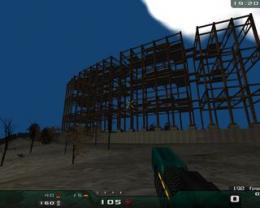
cie.pk3: http://www.box.net/shared/1pm9luukud
Due to some reason my map appears only in "Last Man Standing" game type. To try it as is one should launch it in DM in the way "map cie" in console.
Please, tell me if it is interesting to anyone! I'm sorry for such a design, this is my first map and I don't have any experience in graphics. Could anyone, please, suggest me anything to improve this map!Don't use the force, Luke! Try to think!-
z80 - Advanced member
- Posts: 92
- Joined: Sun Jul 26, 2009 7:35 pm
- Location: Russia
-


-
Hmmm... Looking very interesting z80

-

FruitieX - Keyboard killer
- Posts: 588
- Joined: Mon Nov 13, 2006 4:47 pm
- Location: Finland
-
-
wow z80, is a very promising map!
Here my suggestion:
1 replace that bright sky with a dark night sky (with stars and moon) and on the side of the skybox put images of ruined and abandoned buildings.
2 replace leafy trees with trees with no leaves, I'm working on a tree like that, if I finish in these days I'll send you!
3 use a darker illumination globally.
4 Add every 10 mt a streetlight that ligths surrounding areas and gives it real-time shadows casting.
5 add work tools scattered away like shovels or cement baskets and so on
6 I've noticed that under the basement in costruction there is a wall made of a plane and not a box. I would replace it with a box geometry, because if you see it by side, you can't see its width
7 (maybe in future)It could be great add some horror surround sounds and a thriller soundtrack like half life 2 in "don't go to Ravenholm"
I think it could help
Anyway a great work and very useful for testing your exporter!Thanks for sharing!
PS: How much time spent your computer to export that map? Because on a very early version (I used it in July)of the exporter my comuputer takes more of 4 hours to export a very high poly map, so I'm curious if there is an improvement on that side!my site: www.antoniolatronico.it-
toneddu2000 - Alien trapper
- Posts: 251
- Joined: Mon Mar 09, 2009 7:56 pm
- Location: Italy
-
-
In order for a map to be fun you have to put in obstructions for people to fight around, this map is more or less open space.
But that's not what this is about i suppose, quite a few people trying to cross the blender to netradiant divide at the moment, but still no really popular map has come out of it.
All that said this is a very interesting experiment z80 , good luck and please continue.
...
Eheh, it must be cool to walk around a real place that you know in nexuizfishsticks-

Rad Ished - Keyboard killer
- Posts: 609
- Joined: Wed Jun 27, 2007 8:00 am
- Location: Not the Netherlands
-
-
toneddu2000 Thank you for your suggestions! I've taken them into account. Initially I planned to make a bright day map like on a photo above, but night really looks better, you are right!
As concerns street illumination... actually there are no light at all (in real place). To give it some light I thought about something like UFO with lights over the scene... I don't know yet...
And of course it is necessary to add a lot of construction junk to the map, you are absolutely right! It makes the scene looking natural and gives people places to hide from bullets.
I'll think about adding a custom music track to it but I'm a total NUB in it
As for export time, I didn't measure it precisely but I think my computer do it in roughly 15 - 20 seconds (Core 2 Duo processor, 2.4GHz frequency, 2Gb DDR2 800 MHz memory).
Rad Ished Yes! You are absolutely right! I plan adding some construction parts into the map. Original place contains a lot of rusty armature, cement boards, column elements, one broken crane and even underground tunnels (unfinished accelerated particles collider)
Thank you all for very helpful remarks!Don't use the force, Luke! Try to think!-
z80 - Advanced member
- Posts: 92
- Joined: Sun Jul 26, 2009 7:35 pm
- Location: Russia
-
-
Rad Ished, toneddu2000 Could you please take a look at a slightly redesigned map? I need to know if I go in correct direction.
http://www.box.net/shared/naksnmoloo
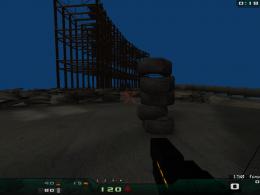
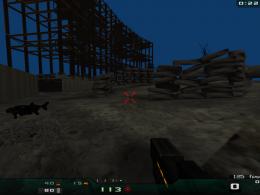
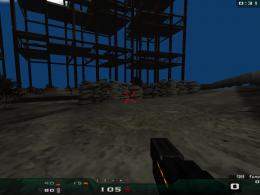
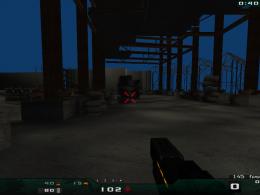
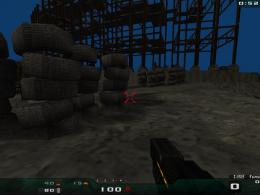 Don't use the force, Luke! Try to think!
-
z80 - Advanced member
- Posts: 92
- Joined: Sun Jul 26, 2009 7:35 pm
- Location: Russia
-


-
Sorry z80 but I don't understand. I downloaded your new map but it seems like the old one! I can't see those tyres scattered as they shown in the pictures. However I found a big hole in the basement again and on the ground (you can see blue color coming out from the geometry, tris doesn't fit good) rear the basement. For the junk atmosphere though, I've to say that what I see in the pictures is quite what I thought but I think you can improve it a lot. First: too tyres! They're stacked in a too organized way. If I were you I would put just 20/30 tyres scattered one distant from another. Second I would add a rusty wheelbarrows and other old bricklayer tools in the map, maybe one tool just that lays on the ground, another that is placed over an old and dity mattress and so on! Just let explode your creativity!
I hope it helps!
cheers!my site: www.antoniolatronico.it-
toneddu2000 - Alien trapper
- Posts: 251
- Joined: Mon Mar 09, 2009 7:56 pm
- Location: Italy
-
-
cool looking map!- motorsep
- Member
- Posts: 33
- Joined: Wed Jul 12, 2006 4:10 pm
- Location: San Antonio, TX
-
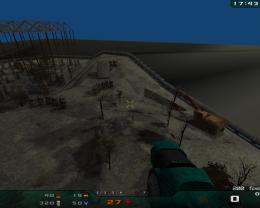
Added two excavators and some cement stuff as well as a lot of ammo and items: http://www.box.net/shared/b5ijrmfzeq. What about it now? Is this map playable?
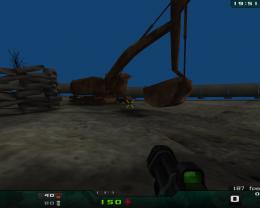
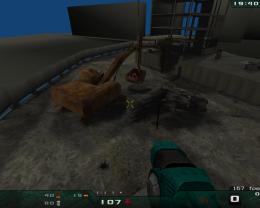
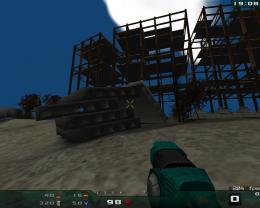
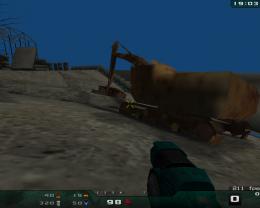
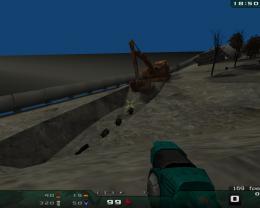
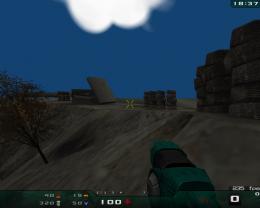
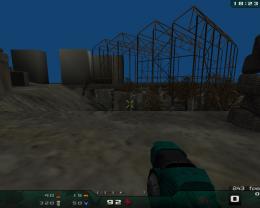
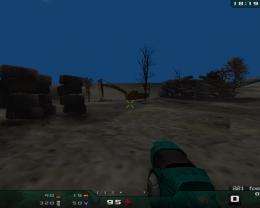
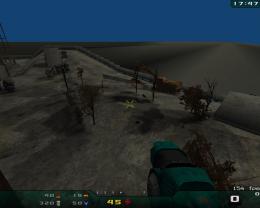
 Don't use the force, Luke! Try to think!
-
z80 - Advanced member
- Posts: 92
- Joined: Sun Jul 26, 2009 7:35 pm
- Location: Russia
-


-
z80 wrote:Added two excavators and some cement stuff as well as a lot of ammo and items: http://www.box.net/shared/b5ijrmfzeq. What about it now? Is this map playable?
Looks definitely way coolHe can talk the talk, but can he caulk the caulk?-

lda17h - Alien
- Posts: 221
- Joined: Tue Jun 16, 2009 1:04 pm
- Location: Germany
-
-
Nice, really nice despite small visual glitches. What would be also cool is to be able to add Quake's entities to the maps also. This way people would make maps for Quake also (of course it would require Dark Places to run).- motorsep
- Member
- Posts: 33
- Joined: Wed Jul 12, 2006 4:10 pm
- Location: San Antonio, TX
-
motorsep wrote:Nice, really nice despite small visual glitches. What would be also cool is to be able to add Quake's entities to the maps also. This way people would make maps for Quake also (of course it would require Dark Places to run).
Could you please explain it in more detail. And pay special attention to entities description for me to be able to code it.
As for visual drawbacks...
I've found out they appear in two cases: 1) when brush is very thin and 2) when two brushes intersect each other - one of them becomes parcially invisible. Should it be so or is it a bug? Could anyone please explain that, because I've failed to get the answer myself?
(By the way, I made a server with CIE map on it: 213.79.111.46:26000. One may try it.)Don't use the force, Luke! Try to think!-
z80 - Advanced member
- Posts: 92
- Joined: Sun Jul 26, 2009 7:35 pm
- Location: Russia
-
Tue Dec 15, 2009 9:48 am
-
I've slightly modified CIE.PK3.
Changes are:
-I've added some armor and cement stuff.
-Modified outer level design. So it doesn't look like an island in infinite space.
-Fixed PK3 structure, added waypoints for bots.
It all is done with Blender only and built into BSP using q3map2 tool. Now it looks like this: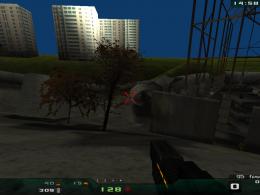
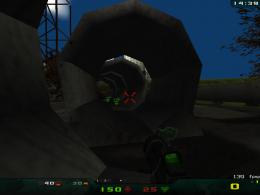
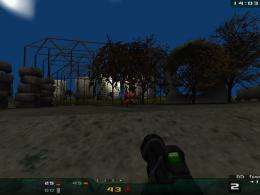
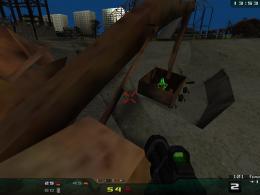
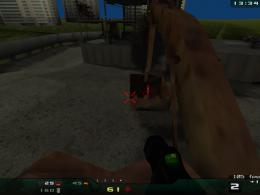
It is available at http://www.box.net/shared/u2zm53r7i4. If anybody have any suggestions or remarks, please, share them.Don't use the force, Luke! Try to think!-
z80 - Advanced member
- Posts: 92
- Joined: Sun Jul 26, 2009 7:35 pm
- Location: Russia
-


Wed Dec 16, 2009 12:19 pm
-
Ok, first good impressions:
I like you placed buildings at the distance, but, if I were you, I'd put a dozen more, all scattered and of different kind (some taller, some older, and so on)
I like position for big health, inside excavator
Now the things that, IMHO of course you should improve:
Illumination is not credible: for me is better to switch to a moonlight illumination with streetlights flickered lights or a full sunny day with a photorealistic sky and neat shadows.
Excavator is not so detailed, bu I promised to create a new one and I'll do it (until I can't find some spare time )
I don't like very much the "underneath tunnel" at the base of the basement, is very poor of detail and walls are too thin, they're just planes!
There's always more "tidyness" in cement blocking and tyres positioning: I wouldn't position them one upon another, better if they're scattered creating a "real mess"!
This is a map for presenting Nexify exporter, isn'it? So, let's show the community the point of force of the exporter: TERRAIN, TERRAIN, TERRAIN. In Blender we could have a more interesting detail in sculpting terrain with bumps, broken sidewalks and much more! If you're instered in progress in this way, let me know and I'll add some street elements (sidewalks, streetlights, manhole covers, etc) to the todo list I've just started!
cheers!my site: www.antoniolatronico.it-
toneddu2000 - Alien trapper
- Posts: 251
- Joined: Mon Mar 09, 2009 7:56 pm
- Location: Italy
-
Information
-
- Who is online
- Users browsing this forum: No registered users and 1 guest