Graphics and fonts look screwy

If you've had any problems with Nexuiz, or would like to report bugs, post here.

Moderators: Nexuiz Moderators, Moderators

Wed Oct 28, 2009 7:13 pm

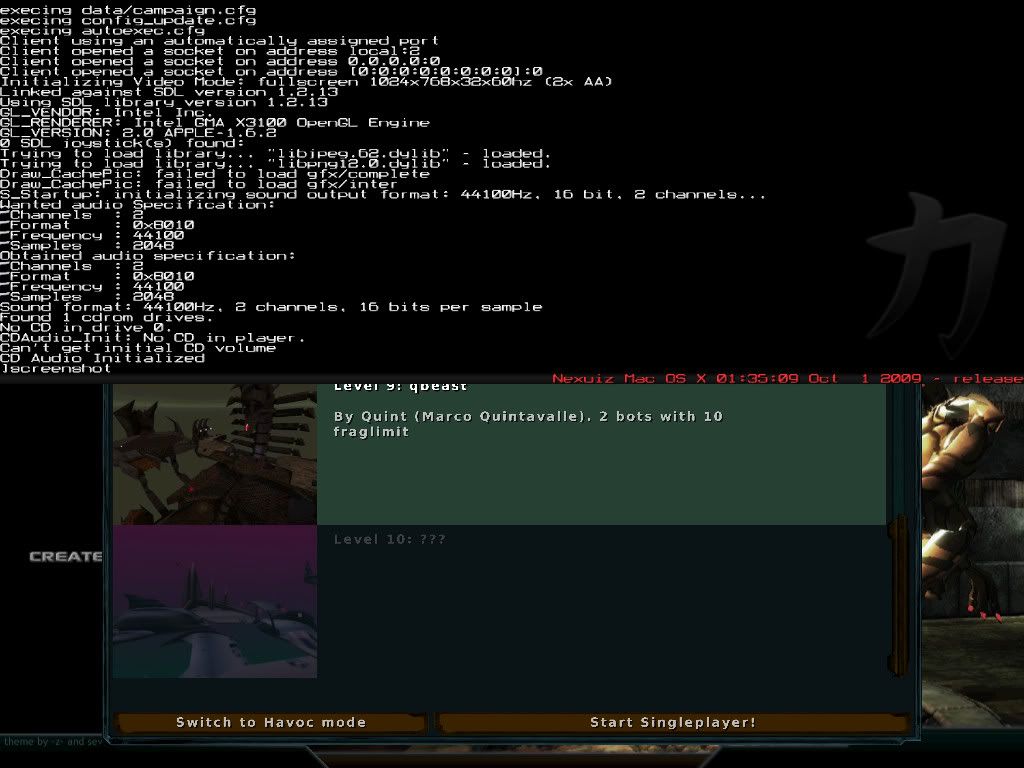
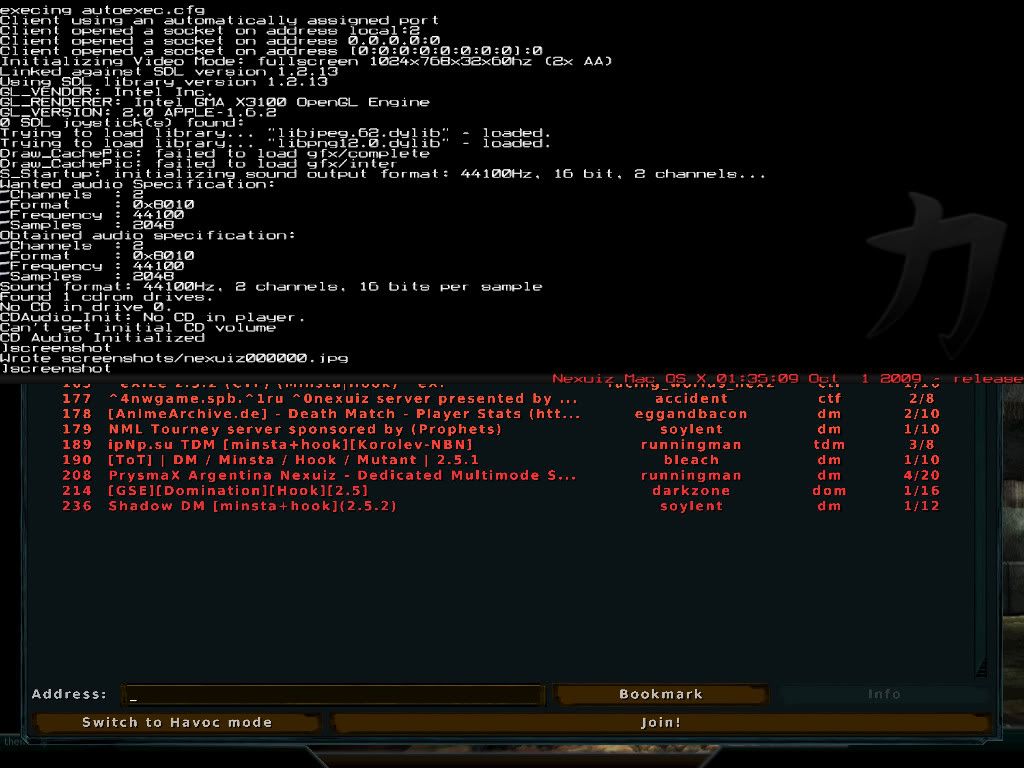
  • Running Snow Leopard. Upon upgrading, I noticed that the graphics and fonts (esp in the menus) look a little screwy. It's totally readable and bearable, but I just wondered if this was fixable... Here's some screenies

    Image
    Image
    Image
    User avatar
    MC SE7EN
    Alien trapper
     
    Posts: 294
    Joined: Fri Apr 10, 2009 8:56 pm

Wed Oct 28, 2009 11:39 pm

  • Increase screen res, use antialiasing, better interpolation, etc.
    My will be done.
    User avatar
    AnArKiSt
    Alien
     
    Posts: 176
    Joined: Fri Feb 27, 2009 6:41 am
    Location: Behind a firewall.

Thu Oct 29, 2009 11:59 am

Thu Oct 29, 2009 6:03 pm

  • There should be no reason to run AA to get smooth console text. It doesn't appear that any dithering of console text is happening at all there. Something possibly broken in the graphics driver? Try truning off AA all together, what does it look like then?
    Ed
    Forum addon
     
    Posts: 1172
    Joined: Wed Mar 01, 2006 12:32 am
    Location: UK

Fri Nov 27, 2009 4:19 am

  • i see you are using a resolution of 1024*768, unless you have a old mac, i dont think thats the optimal resolution to play nexuiz, you are also using AA 2x. I suggest you try it with your native monitor resolution and AA at 0. that should also give much better looking fonts . of course unless your monitor native res is really 1024*768.
    User avatar
    liolak
    Alien
     
    Posts: 114
    Joined: Fri Jan 25, 2008 12:16 am
    Location: Montréal, Canada

Fri Nov 27, 2009 4:21 am

  • liolak wrote:i see you are using a resolution of 1024*768, unless you have a old mac, i dont think thats the optimal resolution to play nexuiz, you are also using AA 2x. I suggest you try it with your native monitor resolution and AA at 0. that should also give much better looking fonts . of course unless your monitor native res is really 1024*768.


    Alrighty, I'll try switching the resolution, but how do I change the AA? Or what, for that matter, is the AA? lol
    User avatar
    MC SE7EN
    Alien trapper
     
    Posts: 294
    Joined: Fri Apr 10, 2009 8:56 pm

Fri Nov 27, 2009 12:42 pm

  • AA stands for AntiAliasing, its an effect that removes the blocky effect on diagonal lines.
    its a setting in the "effect" option pane. I find that it is one of the effect that has the most impact on performance on my box.
    User avatar
    liolak
    Alien
     
    Posts: 114
    Joined: Fri Jan 25, 2008 12:16 am
    Location: Montréal, Canada

Sat Nov 28, 2009 2:34 am

Mon Dec 14, 2009 6:49 pm

  • alright, i did that and it cleared up most of it. the logo on the loading screen still looks a little funny but i dont know, maybe thats just the way it looks…thanks for your help (changing the resolution made the game a lot more immersive :D)

    edit: just looked at the screenies i posted and it actually looks about the same but i guess changing the resolution made it look like there was less distortion. thanks anyway, im happy with it. :D
    User avatar
    MC SE7EN
    Alien trapper
     
    Posts: 294
    Joined: Fri Apr 10, 2009 8:56 pm


Return to Nexuiz - Support / Bugs


Information
  • Who is online
  • Users browsing this forum: No registered users and 1 guest